.png?height=40&name=icon%20(2).png)
When you are added to a course by your Educator, you will automatically receive an email stating that you have been assigned a new course. If you have not received this email, please check your spam/junk folder. 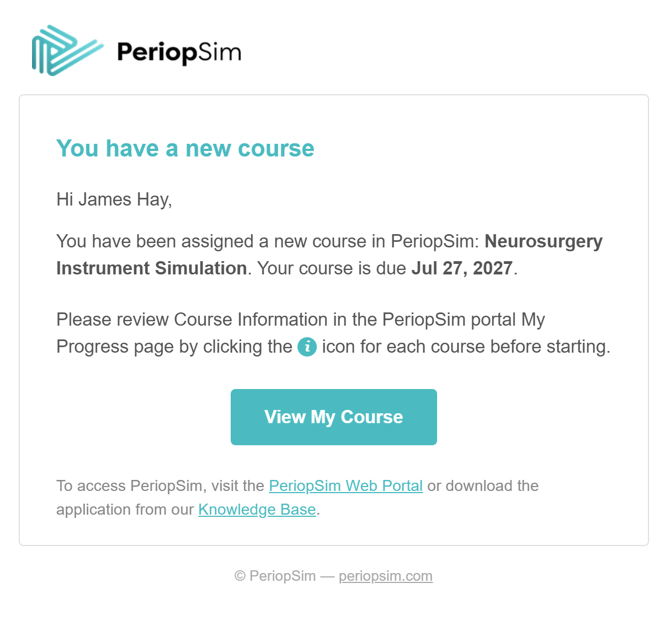
Another way of viewing your courses, is to log into the PeriopSim Web Portal at https://accounts.periopsim.com Once logged in, navigate to "My Progress" to view your current courses
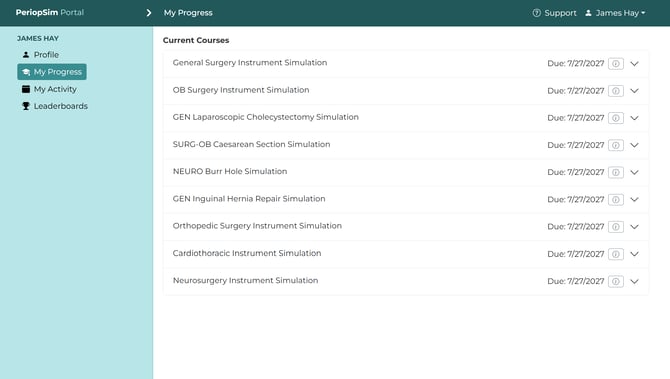
For more information on the assigned course, click on the info icon located next to the due date listed on each course. Each course can be expanded and collapsed to view your current course progress. For more information on viewing your course progress, navigate to our Knowledge Base article As a Learner, how do I view my course progress?